03
Interac Corp.
LIVE Product

Client:
Interac Corp.
Date:
LIVE Product
Role:
Turning repeated demo requests into a self-serve system
Merchant Demo Agent is an AI-assisted workflow I created for the Konek go-to-market team using Claude and Figma Make.
Every merchant conversation needed the product to feel specific. A grocery merchant wanted to see grocery checkout. A retailer wanted to see retail checkout. A travel merchant wanted to see travel checkout.
The product was the same, but the story needed to change.
Instead of making design the bottleneck for every demo variation, I used Claude to structure the merchant scenario, define the checkout story, and generate the right demo content. Then I used Figma Make to turn that direction into editable interface concepts the team could review, adjust, and reuse.
The goal was simple: let the merchant story change without letting the product pattern drift.
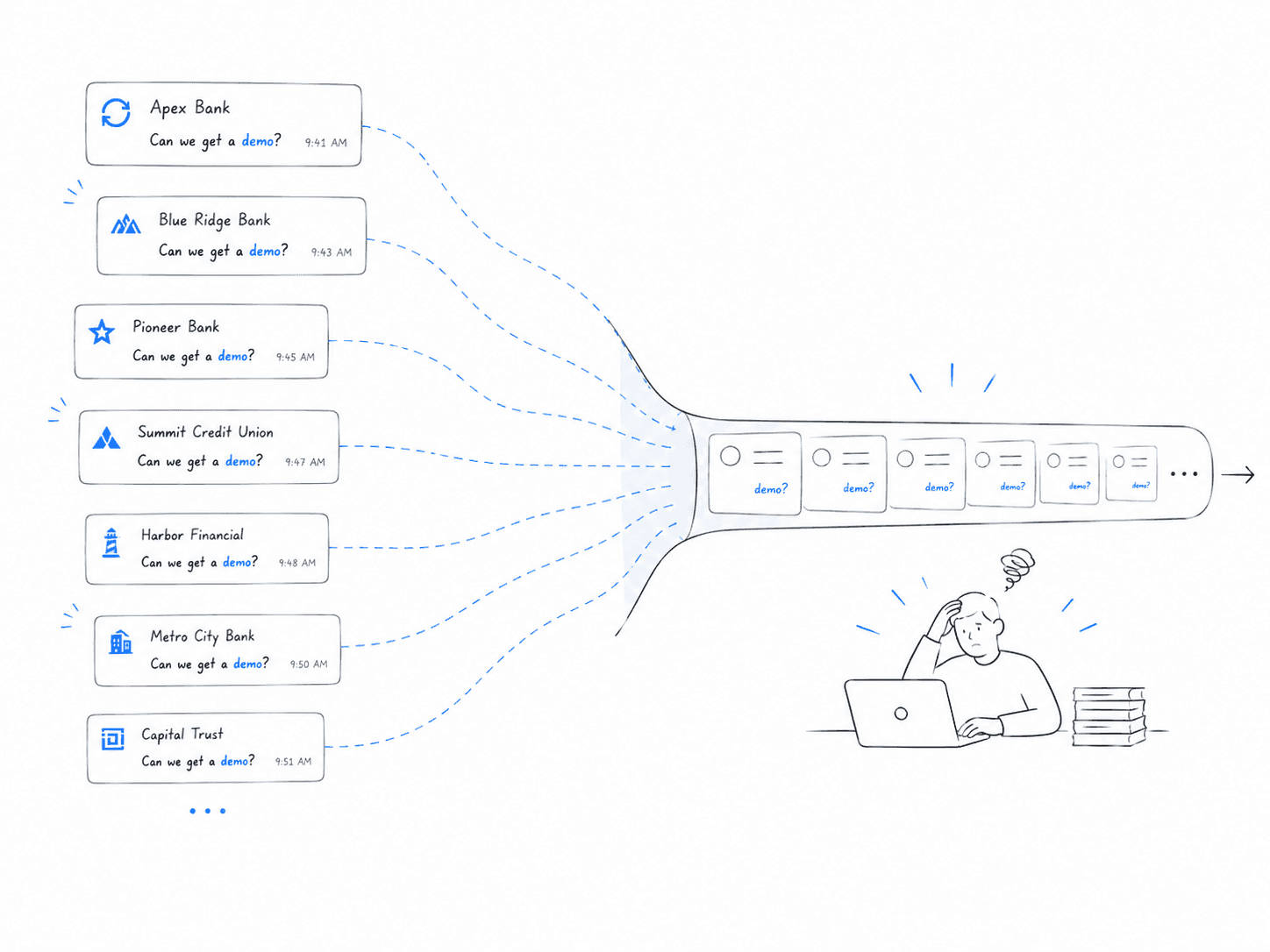
The same ask kept coming back
The request always looked small at first.
Can we make the demo feel more like this merchant?
Can we change the products in the cart?
Can we make the checkout feel like grocery?
Can we show this for travel?
Can we make it feel closer to the merchant’s brand?
Individually, each request was manageable. Together, they became a pattern.
Design was being pulled into repeatable demo work that did not always require a new design decision. The team needed speed, but the product still needed consistency.
That became the opportunity: turn a repeated design request into a system.
Claude shaped the story
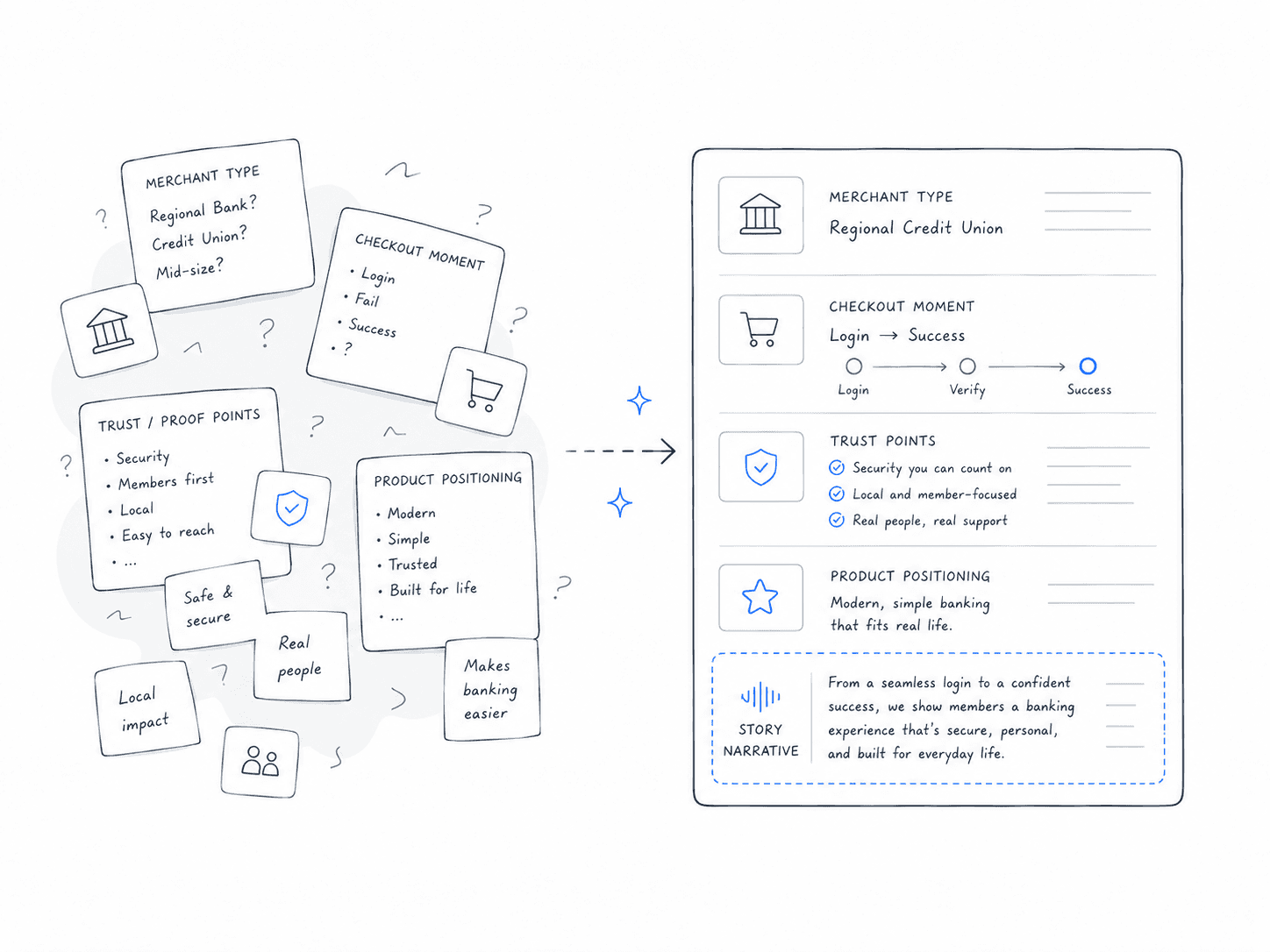
Claude became the thinking layer.
I used it to take merchant context and turn it into a sharper demo brief: what the merchant sells, what checkout moment matters, what the customer is trying to do, what trust concerns might show up, and how Konek should be positioned in that scenario.
This helped move the work away from vague prompts like “make a grocery demo” and toward more useful direction:
What is in the cart?
What payment moment are we showing?
What needs to feel trustworthy?
What should stay consistent with Konek?
What should adapt to the merchant?
Claude helped create the narrative structure. It gave the demo a reason to exist before any UI was generated.
Figma Make turned it into something visible
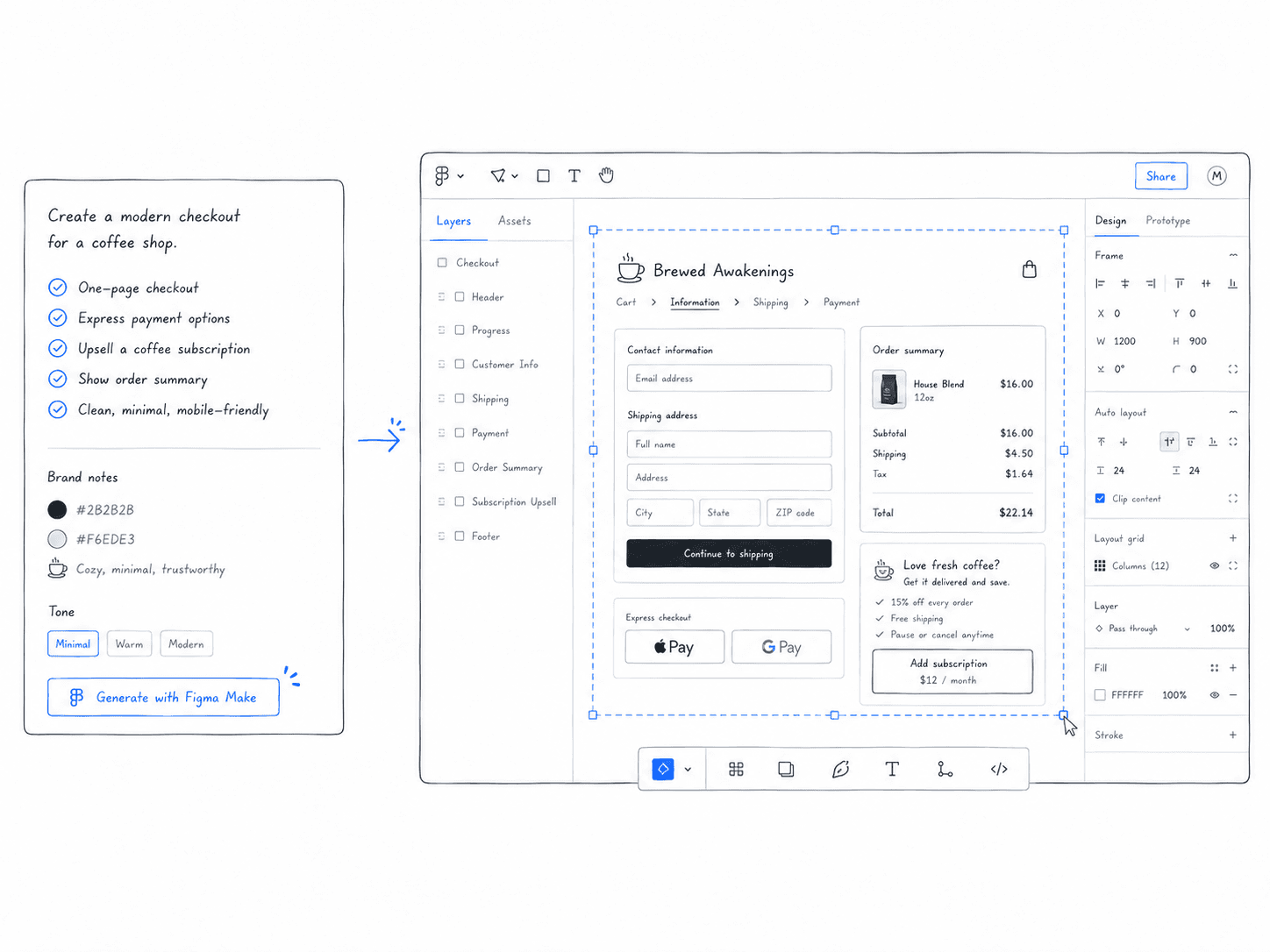
Figma Make became the production layer.
Once the scenario was clear, I used Figma Make to generate editable demo interfaces that could show how Konek Checkout might appear in a merchant-specific context.
This mattered because the output was not just text. The team needed something visual. They needed a checkout screen, cart contents, merchant framing, and a flow that could be reviewed quickly.
Figma Make helped shorten the distance between idea and prototype.
It did not replace design judgment. It gave me a faster starting point to shape, correct, and bring back into the Konek system.
Every merchant needed to see themselves
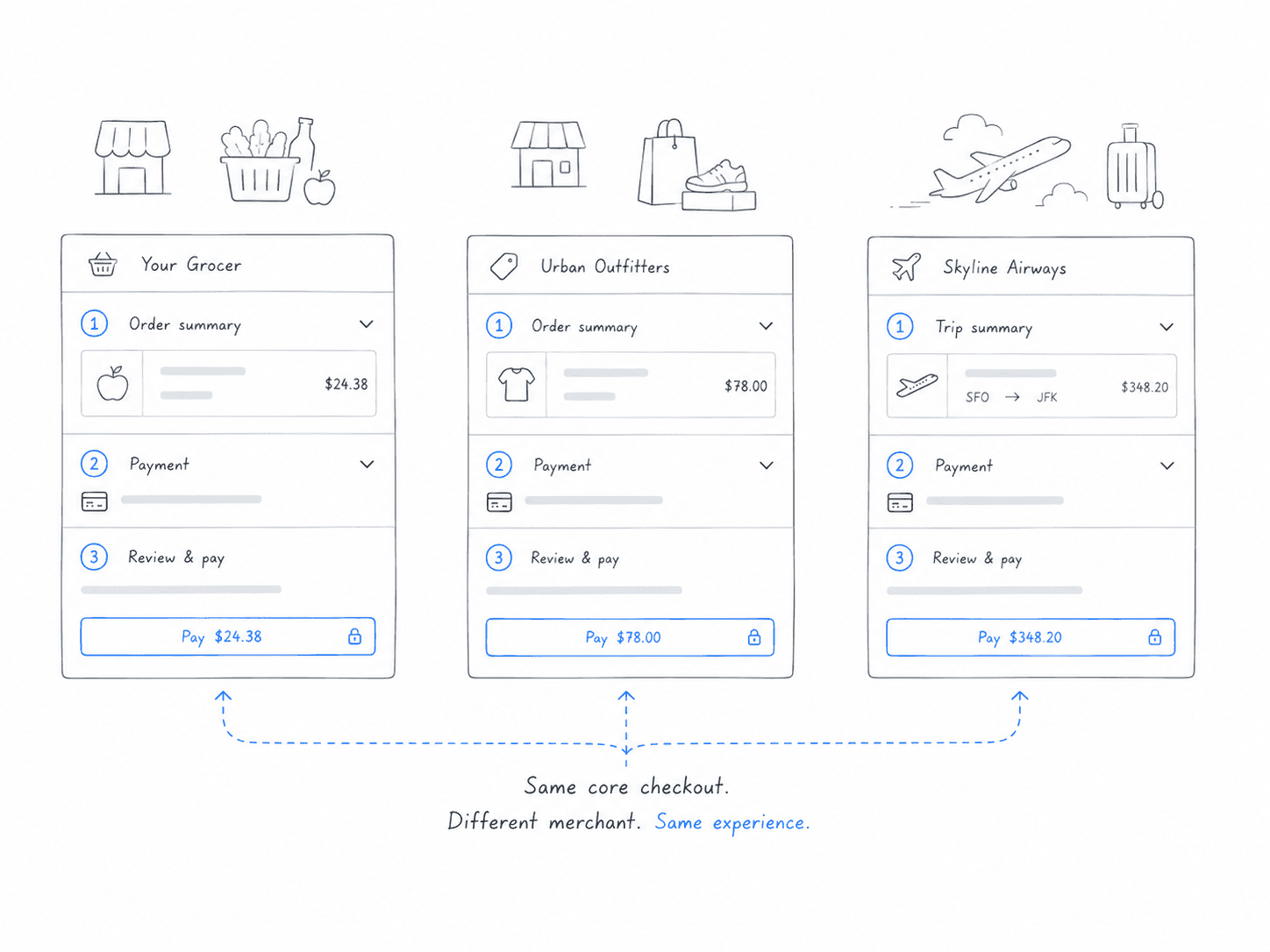
A generic demo can explain the product.
A specific demo helps a merchant imagine using it.
That difference mattered. Konek Checkout was being introduced as a new payment method, so the demo had to do more than show screens. It had to help each merchant understand how Konek could fit into their own checkout moment.
For a grocery merchant, that meant familiar carts, everyday items, and fast checkout. For retail, it meant product browsing, order review, and payment confidence. For travel, it meant higher-value purchases, clear confirmation, and trust through the handoff.
The core product did not need to change for each merchant. The context did.
The product pattern had to stay locked
The risk with AI-generated demos is drift.
If every generated demo changes too much, the team may move faster but the product story becomes inconsistent. Button labels change. Flow order shifts. Consent language gets rewritten. Screens start looking like different products.
That could not happen.
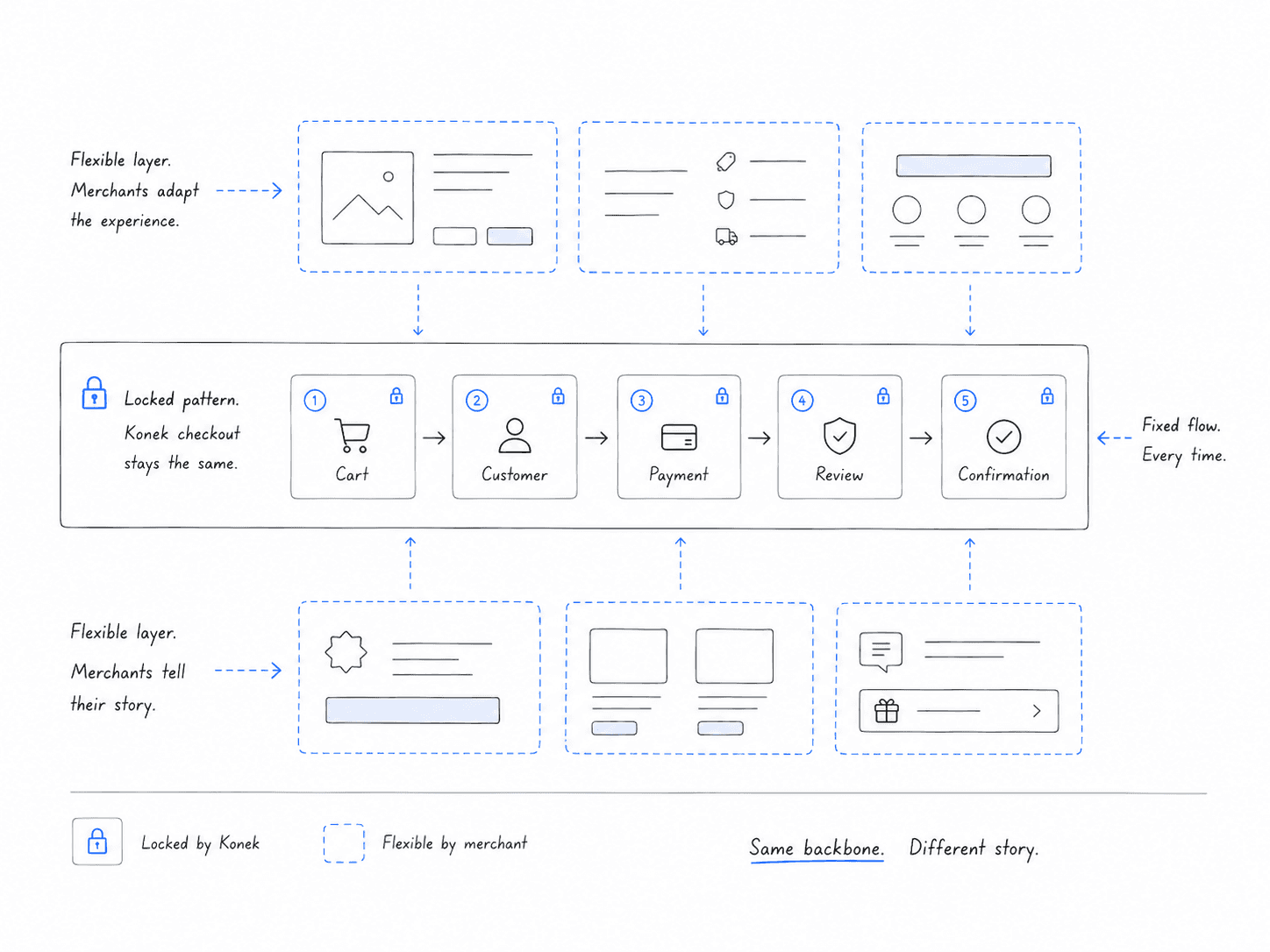
I treated the Konek checkout pattern as the fixed layer: entry point, bank selection, consent, authentication, return, review, and confirmation.
The merchant layer could flex: brand cues, cart contents, product category, scenario, imagery, and demo framing.
That separation made the workflow safer. The story could adapt without weakening the product.
AI was useful only with constraints
AI was not the strategy.
The strategy was constraint.
Claude and Figma Make were useful because they were pointed at a specific workflow problem with clear rules.
Claude could help shape the story, but it needed product context. Figma Make could help generate UI, but it needed guardrails. The checkout flow could not be reinvented every time. The hierarchy could not randomly shift. Payment language needed to stay clear. Trust moments needed to stay intact.
The value of the agent was not that it could generate anything.
The value was that it could generate within the right shape.

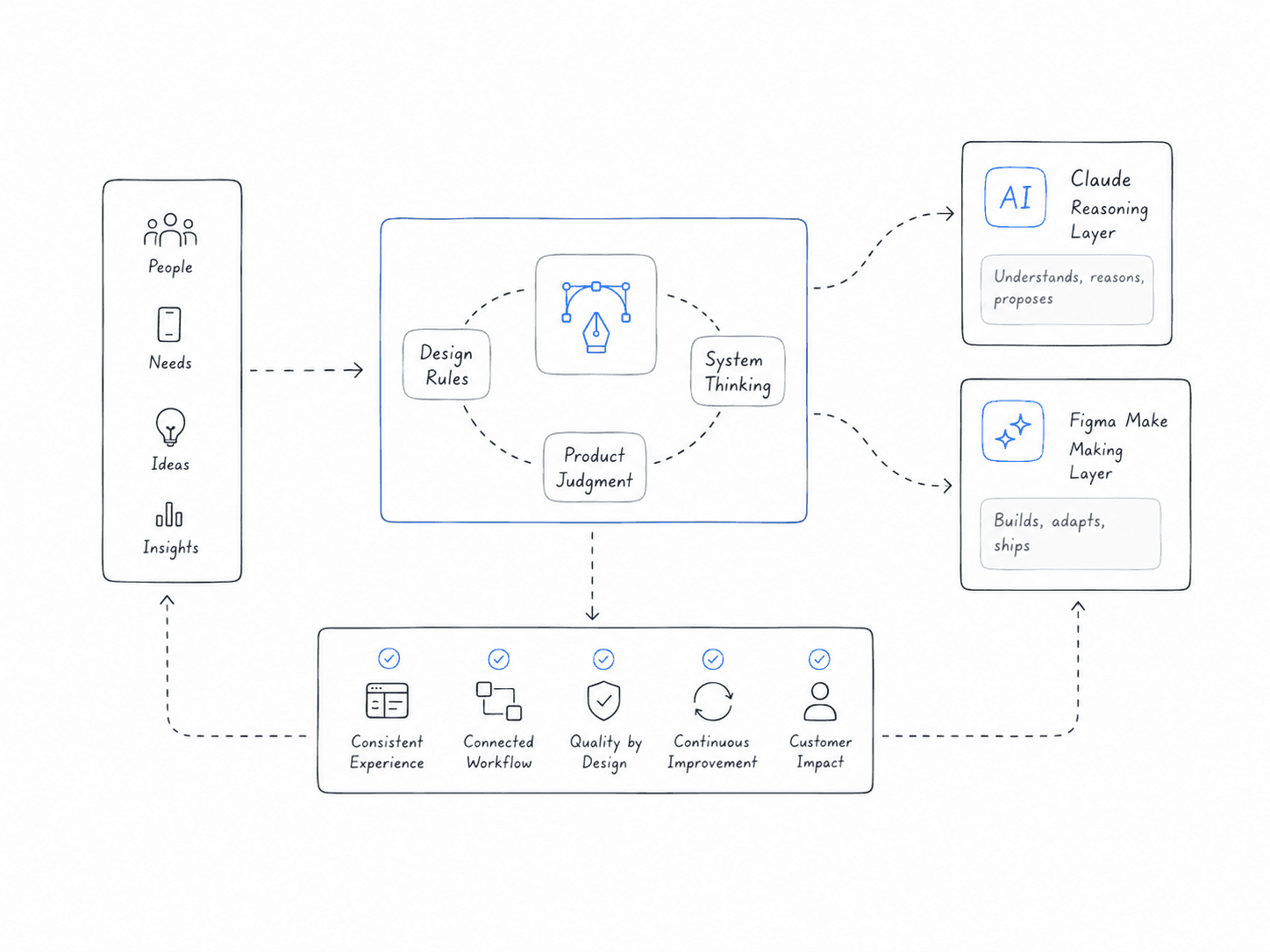
Design became the operating system
This was less about making a single tool and more about turning design judgment into a repeatable workflow.
The system needed to understand what a good Konek demo required: a realistic merchant scenario, a believable cart, a clean checkout path, a strong payment moment, and a consistent product structure.
I defined the rules around what the agent should preserve, what it could adapt, and how the output should support a go-to-market conversation.
In that sense, design became the operating system for the workflow.
Claude helped with reasoning and content. Figma Make helped with visual generation. Design judgment connected the two.
From one-off requests to repeatable demos
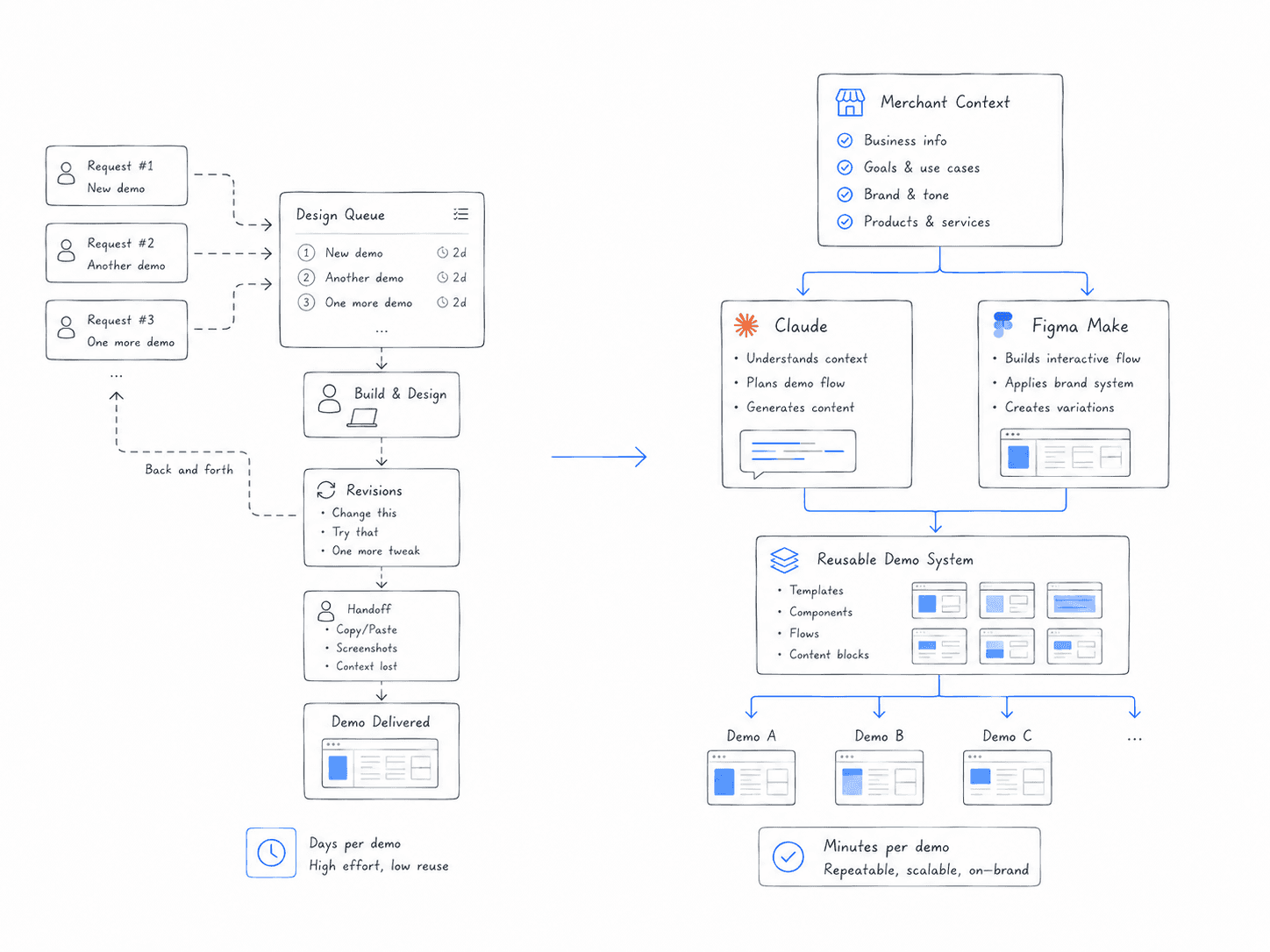
The biggest shift was moving from one-off production to repeatable creation.
Before, each merchant demo could become a separate design task. Someone had to understand the merchant, adjust the story, create assets, update screens, and make sure the product still felt right.
With the Claude + Figma Make workflow, the team could start with merchant context and generate a stronger first version faster.
Design could spend less time changing surface details and more time improving the system, refining the product story, and supporting higher-value moments.
That was the real outcome: less manual repetition, more strategic design leverage.
What changed
The Merchant Demo Agent helped the team move faster without treating consistency as optional.
It gave go-to-market a way to create merchant-specific demos while keeping the Konek checkout structure intact.
The workflow reduced repeat design requests, made merchant conversations feel more tailored, and created a clearer system for adapting demos without reinventing the product each time.
The product pattern stayed stable. The story became easier to customize.
What I took from it
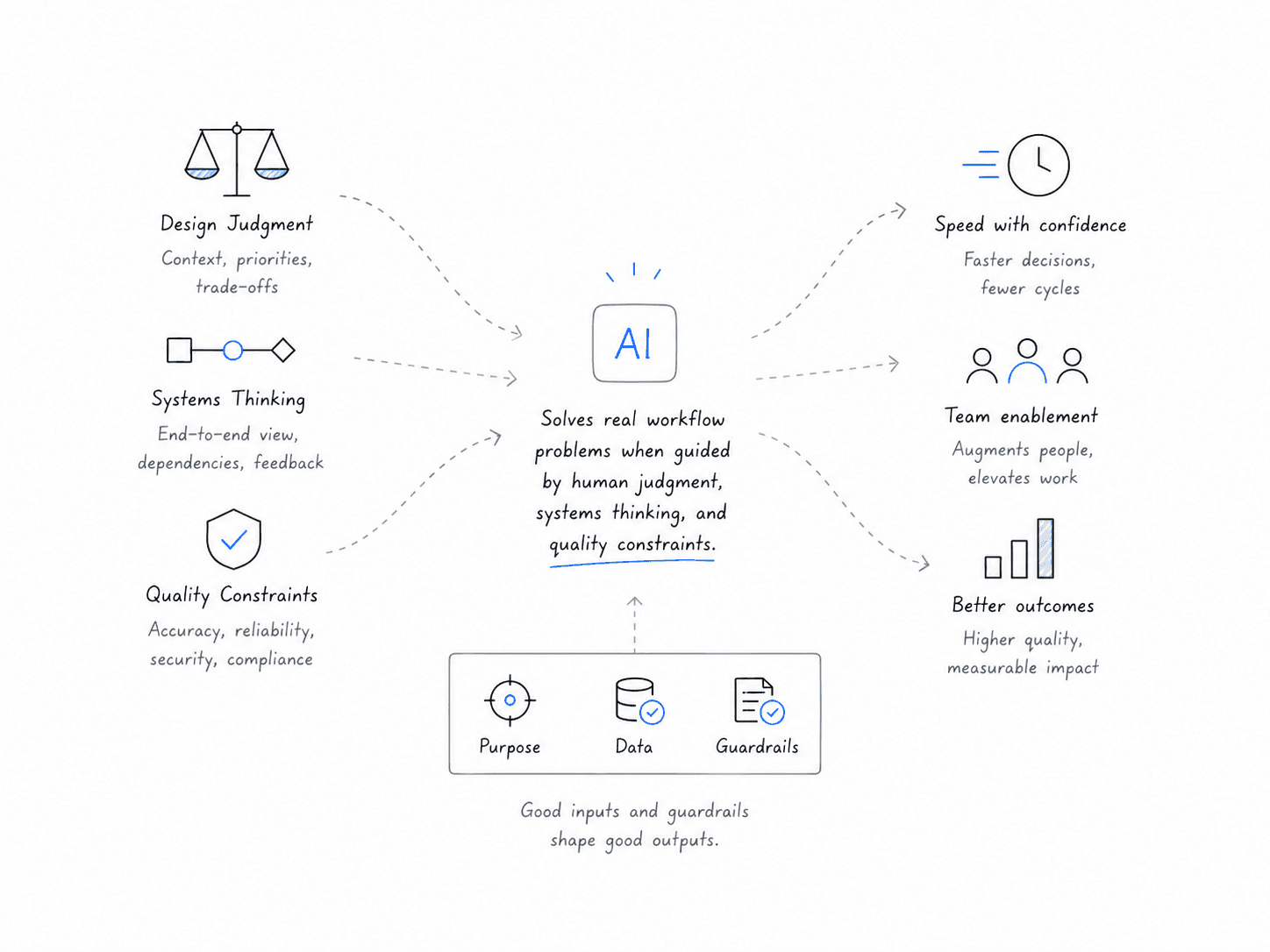
This project taught me that AI is most valuable when it is pointed at a real workflow problem.
The goal was not to make something feel futuristic. The goal was to remove friction from a team process that kept repeating.
Good AI-assisted design is not random generation. It is structured judgment at scale.
The best version of this work was not “AI made a demo.”
It was “design created a system that helped the team move faster without lowering the quality bar.”
See it in action
